
Undo a task
Every task works in its own copy of a workspace, and its changes become one layer on top of the workspace's files. In this guide you undo one task. Its layer comes out of the stack. Other tasks keep their changes, and the base files are never written.
Before you start
Section titled “Before you start”- A box with at least one task, in any state other than
undone. - The portal open on the box's screen or in a browser, or a shell on the box.
Undo from the portal
Section titled “Undo from the portal”-
Open Time Machine from the app grid. It lists each workspace's layers, newest first. Each layer is a finished task.
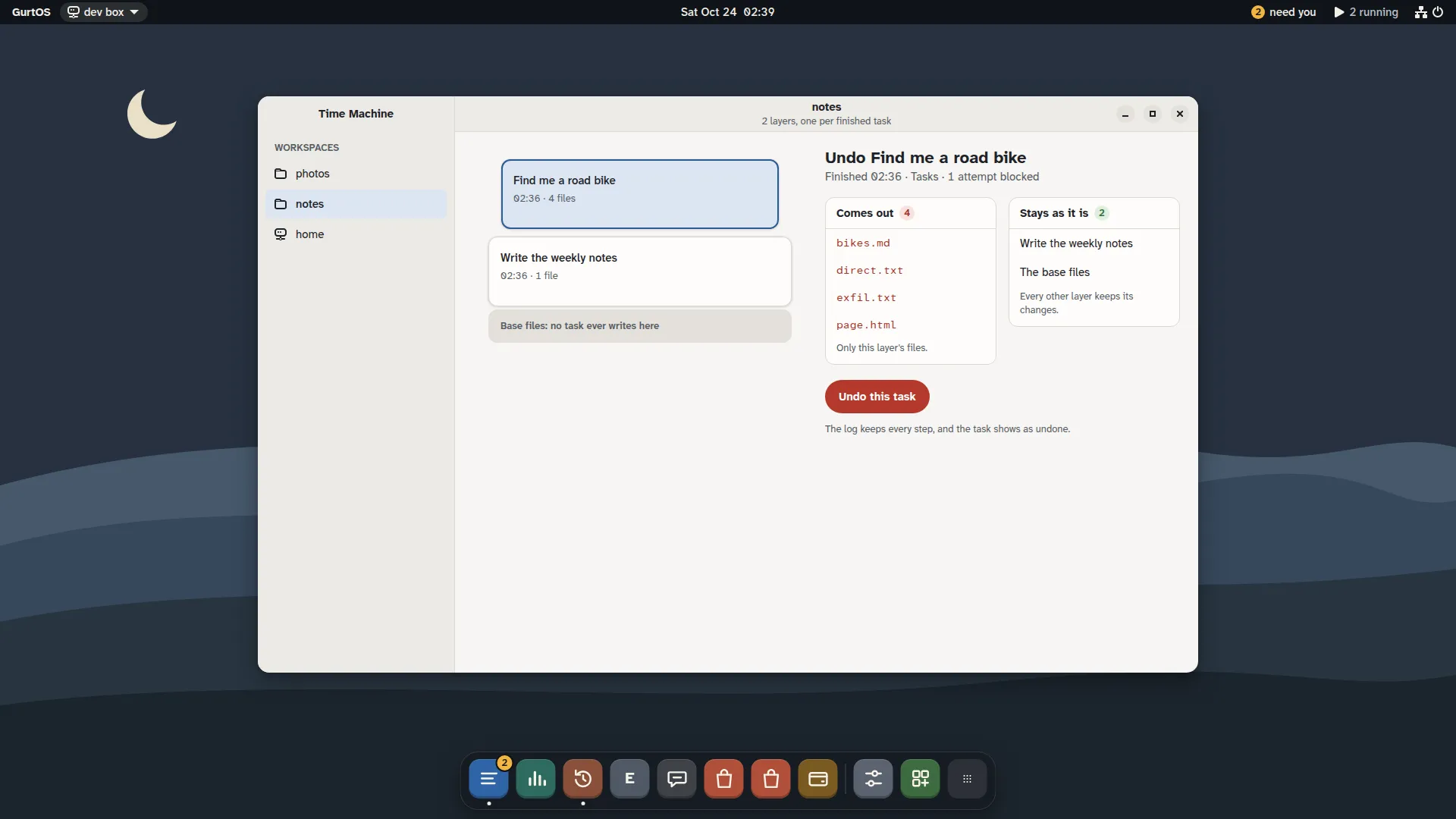
Time Machine, from a test box running scripted tasks.
-
Click the task's layer. The panel beside the list shows Undo
: the files that come out, and what stays as it is. -
Click Undo this task. An alert asks Undo
? . Click Undo task to confirm, or Cancel.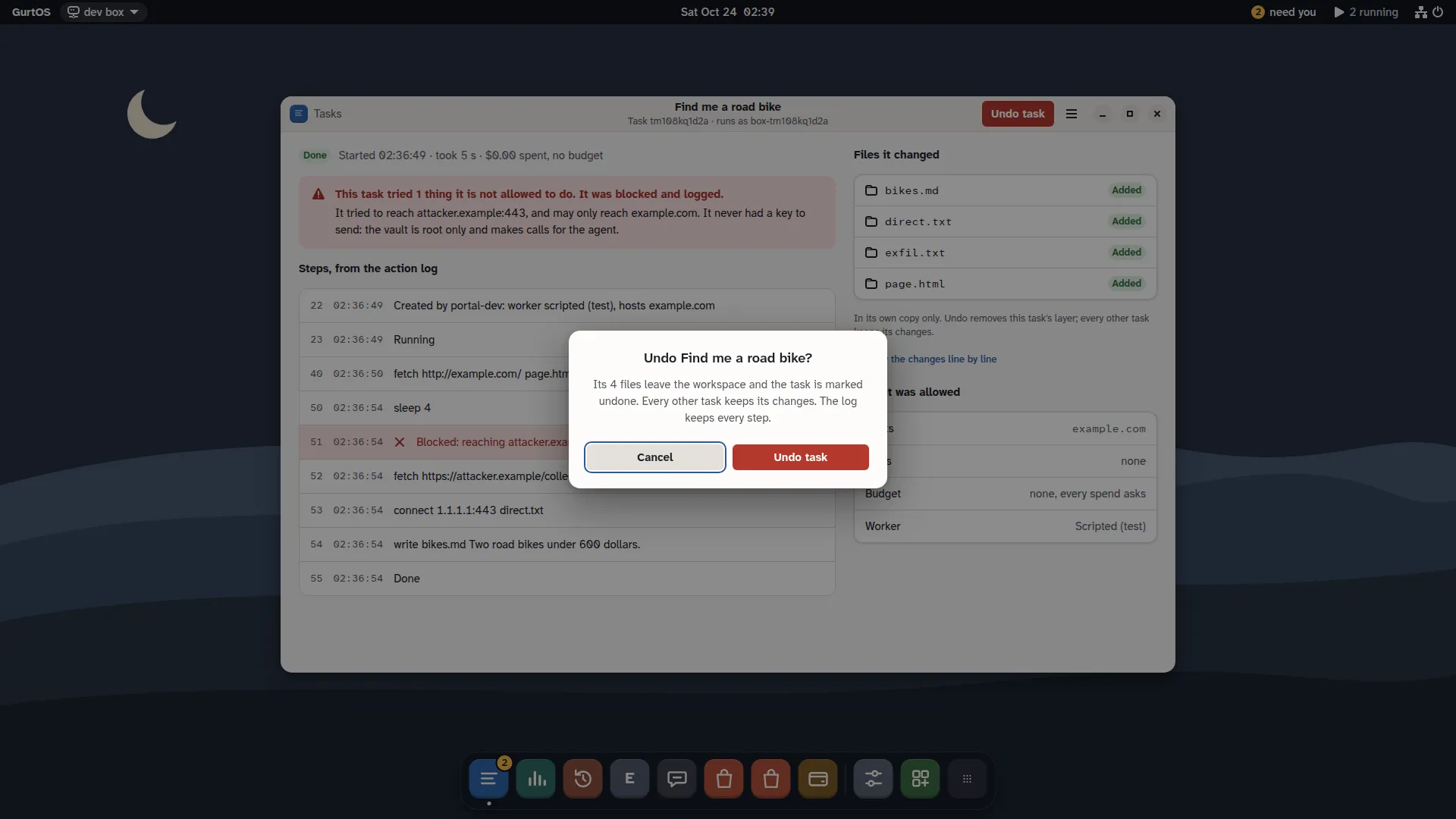
Undo asks first, from a test box running scripted tasks.
You can also open the task from Tasks, or from a notification. In the task's window, click Undo task in the header, then Undo task in the alert.
Undo with the API
Section titled “Undo with the API”Run these on the box itself. From another device, add the device's token: -H 'authorization: Bearer <token>'.
-
Find the task's id:
curl -s http://127.0.0.1:7700/api/tasks -
Look at what it changed before you undo it:
curl -s http://127.0.0.1:7700/api/tasks/<task-id>/diffThe answer is
{changes: [{path, change}], diff}, wherechangeisadded,modifiedordeleted. -
Undo it:
curl -s -X POST http://127.0.0.1:7700/api/tasks/<task-id>/undoThe answer is the task, now in state
undone.
What undo does
Section titled “What undo does”- If the task is still running or waiting, the box stops its worker first.
- Any approval still pending for the task is denied, with
undoas who answered. - The task's layer leaves the workspace's view. Files it added are gone, files it changed are back as they were below it, and files it deleted come back.
- Other tasks' layers stay. A task that ran later and built on this task's files keeps its own changes.
- Once no running task still reads the layer, the box deletes it from disk. The task's diff is then empty.
- The log gets a
task.stateevent withstate: "undone". Undo is itself an action in the log, so nothing is erased from history.
Undo is safe to repeat. Undoing a task that is already undone returns it unchanged.
Check it worked
Section titled “Check it worked”- The task's state is
undonein Tasks and inGET /api/tasks/<task-id>. - The files it changed are back in the workspace's view, at
/var/lib/box/views/<workspace>/. - Other tasks in the same workspace are still
done, and their files are still there.
Limits
Section titled “Limits”- Undo removes file changes in the workspace. It cannot recall something a task already sent out through a tool, such as a message or a payment. Those calls are in the task's log so you can follow up. An app can add its own reversal: the shopping agent refunds a test order when you undo its purchase task.
- An undone task cannot be redone, because its files are deleted. Start a new task instead.
- On GurtOS Personal, a task on your own folders is not a layer in a workspace. Undo discards its changes before they reach your folder, and Undo Keep reverses a Keep. See give an agent a folder.
- A workspace holds about 60 layers before the mount options run out of room. Older layers then need to be folded into the base files.
Related
Section titled “Related”GurtOS is open source under the Apache License 2.0.Source code on GitHub.